 Jane
Jane

In today’s fast-paced digital world, selecting the right device can feel overwhelming. With a wide range of tablets and laptops available, the distinctions are not always immediately clear. Each offers unique strengths and limitations, making them suitable for different lifestyles, tasks, and usage needs. Recognizing these differences supports a more informed decision, whether the purpose involves work, study, entertainment, or travel.
Both tablets and laptops are portable computing devices, but the way they handle tasks, their performance, and their usability can vary significantly. Deciding which is better depends on how the device will be used most often, budget considerations, and personal comfort with technology.
Tablet vs Laptop: How to Pick the Perfect Device
1. Portability and Convenience
One of the most noticeable differences between tablets and laptops is portability. Tablets are generally lighter, thinner, and easier to carry around. Many models weigh less than a pound and fit into small bags, making them ideal for commuting, travel, or casual use on the couch. They are easy to pick up, quickly unlock, and start using immediately. Tablets often have a touchscreen interface that makes navigation intuitive and gestures like swiping, pinching, and scrolling feel natural.
Laptops, while still portable, are generally bulkier and heavier. Even lightweight ultrabooks weigh more than most tablets and take longer to set up. However, laptops provide a larger screen and a full keyboard, which is essential for tasks like typing long documents, editing spreadsheets, or programming. For users who prioritize mobility over extensive typing or software use, tablets have a clear advantage. For those who need full computing power on the go, modern ultrabooks are portable enough to serve as a mobile workstation.
Portability also influences battery life. Many tablets can last ten hours or more on a single charge, making them suitable for day-long use without a power outlet. Laptops vary widely, with lightweight models offering similar battery life, while gaming or high-performance laptops often require charging more frequently.
2. Performance and Power
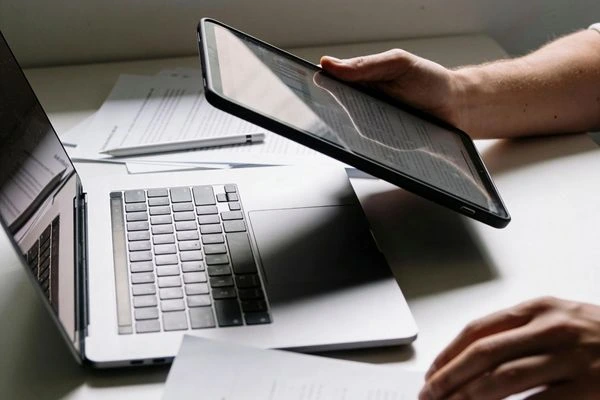
Performance is a significant factor when deciding between a tablet and a laptop. Laptops generally have more powerful processors, more RAM, and larger storage options. This allows them to handle demanding applications such as video editing, graphic design, or large data analysis more efficiently. They also support a wide variety of software programs that may not be available on tablets.
Tablets, while improving rapidly in terms of processing power, are still limited compared to laptops. They are excellent for browsing the web, watching videos, reading, taking notes, and light productivity tasks like email or document editing. Some high-end tablets, such as those with attachable keyboards or models running complete operating systems, can handle heavier tasks, but they are rarely as powerful as a mid-range laptop.
For example, a student taking notes, reviewing slides, or attending virtual classes may find a tablet sufficient. On the other hand, a content creator using Adobe Premiere, Photoshop, or AutoCAD will find a laptop necessary for smooth performance. Understanding which tasks are most common will help guide the decision.
3. Screen Size and Usability
Screen size directly affects usability. Tablets typically have screens ranging from 7 inches to around 13 inches. This makes them compact and easy to handle, but can be limiting for multitasking or working with multiple windows. Tablets excel at single-tasking, such as reading a document, watching a video, or browsing social media. Some tablets support split-screen functionality, but it may still feel cramped compared to a laptop.
Laptops generally have larger screens, ranging from 13 to 17 inches, which allow for more comfortable multitasking. Large displays provide better visibility for spreadsheets, creative projects, and video editing. External monitors can also be connected to laptops for an extended workspace. For people who work on multiple applications at once, a larger screen is often a necessity.
Touchscreens are becoming common on laptops as well, but tablets are designed around touch interaction, which enhances their ease of use. Stylus support on tablets can make note-taking, sketching, or annotating documents more intuitive. Laptops can offer these features too, but often with extra accessories that add weight and cost.
4. Software and App Ecosystem
Software availability is another significant consideration. Laptops run complete desktop operating systems, such as Windows, macOS, or Linux, giving access to professional-grade applications. This makes laptops ideal for business, design, programming, and gaming. Many productivity tools, including Microsoft Office, Adobe Creative Cloud, and coding environments, are optimized for laptops.
Tablets run mobile or hybrid operating systems, such as iPadOS or Android, which are increasingly capable but still limited in terms of software scope. Mobile apps cover a wide range of everyday tasks and entertainment, but some professional software may not be available or fully functional on tablets. Tablets excel in casual use, note-taking, reading, and streaming, but specialized software requirements may necessitate a laptop.
Cloud services help bridge this gap, allowing tablets to run web-based versions of traditional software. However, reliance on internet connectivity may affect workflow, and laptops usually offer better offline capabilities.
5. Input Methods: Keyboard, Touch, and Stylus
Laptops provide a physical keyboard and trackpad, which are essential for typing-intensive work. This allows for faster typing, more precise navigation, and multi-window management. External peripherals, such as a mouse or external keyboard, can further enhance productivity.
Tablets rely primarily on touchscreen input. While virtual keyboards and gestures are convenient for short tasks, they can slow down typing for longer documents. Many tablets support attachable keyboards, and some styluses allow for handwriting, drawing, and annotation. This hybrid approach makes tablets versatile for creativity and casual use but may not match the speed and efficiency of a laptop for heavy typing tasks.
Stylus support is a strong point for tablets. Artists, designers, and students often benefit from precise touch input. Laptops with touchscreen support can mimic this, but the experience is generally better -on a tablet.
6. Battery Life and Charging
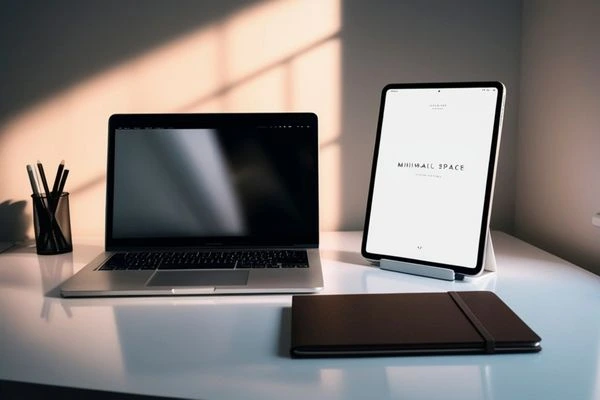
Battery life is often a deciding factor for mobile users. Tablets tend to last longer due to energy-efficient processors and smaller screens. Many models can go a whole day or longer without needing a charge. Tablets also charge faster on average, and some support wireless charging or fast charging technologies.
Laptops, depending on the model and usage, may offer similar or shorter battery life. High-performance laptops, particularly gaming laptops, may require more frequent charging. Some ultrabooks balance performance with efficiency and can last a full workday, but this varies widely by brand and configuration.
Travelers, students, and remote workers who prioritize long unplugged use may prefer a tablet. Users who need performance for heavy applications may choose a laptop, even if it means carrying a charger.
7. Price Considerations
Cost plays a vital role in choosing between tablets and laptops. Tablets generally range from budget-friendly to high-end premium models. Entry-level tablets are affordable and suitable for casual users, while flagship tablets with larger storage, stylus support, and attachable keyboards can be pricey. However, these premium tablets are often less expensive than high-performance laptops.
Laptops also cover a broad price spectrum. Entry-level laptops are affordable for basic tasks, but professional-grade models, gaming laptops, or ultrabooks can be significantly more expensive. Users must weigh the cost against performance needs. A mid-range laptop may provide more power for a similar price to a high-end tablet with accessories.
Use Cases: Who Benefits Most
The decision between a tablet and a laptop depends largely on how the device will be used. Consider the following scenarios:
- Students: Tablets are excellent for note-taking, reading, and streaming lectures. With an attachable keyboard, tablets can handle light document editing. Laptops are better for research papers, programming, and multitasking with multiple apps.
- Professionals: Laptops are ideal for office work, design, coding, and any task that requires specialized software. Tablets can serve as secondary devices for email, meetings, or presentations.
- Travelers: Tablets shine for portability, media consumption, and light work while on the go. Laptops are preferred if work requires more demanding applications or extensive typing.
- Casual Users: Tablets cover reading, browsing, streaming, and light productivity. Laptops may be unnecessary unless heavy software is needed.
- Creative Professionals: Stylus support on tablets is ideal for designers, illustrators, and annotators. Laptops are better for video editing, graphic design, and projects that require specialized software.
Accessories and Expandability
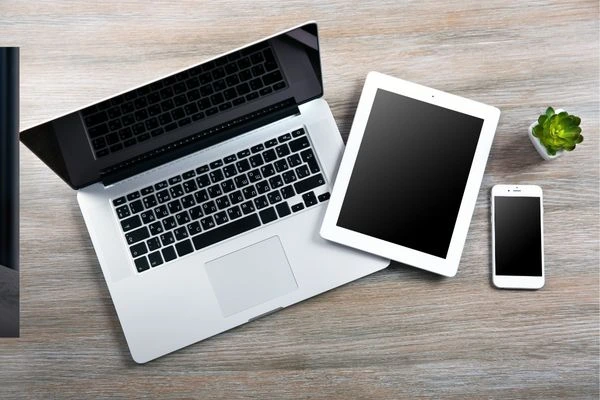
Laptops typically offer more expandability. USB ports, HDMI output, external storage, and docking stations allow laptops to be used in diverse environments. Memory and storage upgrades are often possible. Tablets, while increasingly versatile, are more limited in physical connectivity. Accessories like keyboards, styluses, or cases enhance functionality, but expansion options are usually more limited than on laptops.
Storage is another factor. Laptops often include large hard drives or SSDs, supporting local storage for heavy files. Tablets usually rely on cloud storage or limited internal memory, which may require subscription services for extensive use.
Gaming and Entertainment
For gaming, laptops offer a superior experience. Dedicated graphics cards, larger screens, and robust processors allow smooth gameplay. Tablets can handle casual and mobile games well, but they generally cannot support graphics-intensive titles.
For streaming movies and TV shows, and for reading, tablets excel due to their portability, touch interfaces, and battery life. Laptops can deliver a better experience for large screens and high-quality audio, but at the expense of portability.
Choosing The Right Device For Your Lifestyle
Ultimately, whether a tablet or a laptop is better depends on individual needs and lifestyle. Tablets are excellent for portability, casual use, creative tasks, and long battery life. Laptops dominate in performance, multitasking, expandability, and software compatibility.
For many users, the ideal solution may be a combination of both. A tablet can serve as a lightweight, portable companion for travel, media, and casual work, while a laptop provides the power and versatility required for more demanding tasks. Budget, intended use, and personal workflow should guide the decision.
Understanding the differences between tablets and laptops ensures that the investment meets practical needs and personal preferences. The goal is a device that enhances productivity, entertainment, and daily digital life, making technology work for the user rather than the other way around.